
Do you want to find out how to track affiliate links for free across all devices and websites?
I remember trying to figure out how to track my affiliate links and how hard it was to put everything together when starting my online business.
Trying to add link tracking as another piece of the puzzle just seemed overwhelming, unnecessary, and way too expensive!
So, I created my own tool called DSLinker built specifically for affiliate marketers and bloggers.
By the end of this post you should have everything setup and ready to go to start tracking your affiliate links!
Let’s get started.
Quick answer (last checked: November 17, 2026)
You can track affiliate links for free by running them through a link shortener that counts clicks, and by tagging them so Google Analytics can see where visitors came from. Rebrandly’s free plan gives you 10 links per month and 1 custom domain, and Bitly’s free plan gives you 5 links per month.
Want paid tracking later? ClickMagick starts at $79 per month with a 14-day free trial. My free UTM Builder & GA4 Channel Checker helps you tag links for Google Analytics.
How To Track Affiliate Links For Free Across All Devices
Here’s the step-by-step breakdown of how to get started tracking affiliate links for free.
Step 1: Create Your Free DSLinker Account
The first step is to create your free DSLinker account. Go here to get your free access link.
Once you’ve received the email with the link, create an account.
Note that it may take up to 5 minutes to receive the email with your free access link to start creating affiliate links.
Step 2: Go To Links Tab And Create Affiliate Tracking Link
The next step is to head over to the Links tab within the DSLinker software once you’ve created your account and have signed in.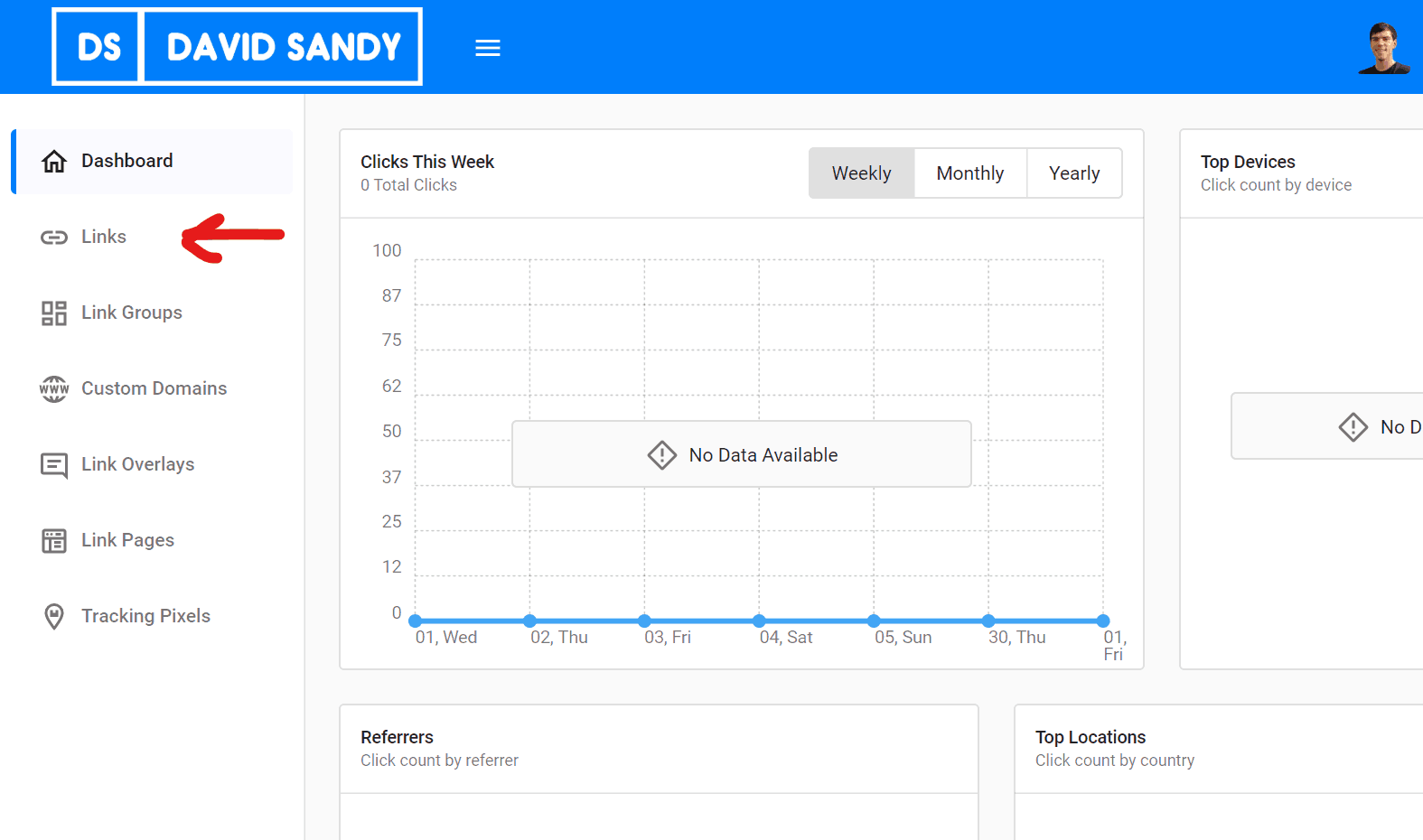
Click on ‘create’ to make a new track link.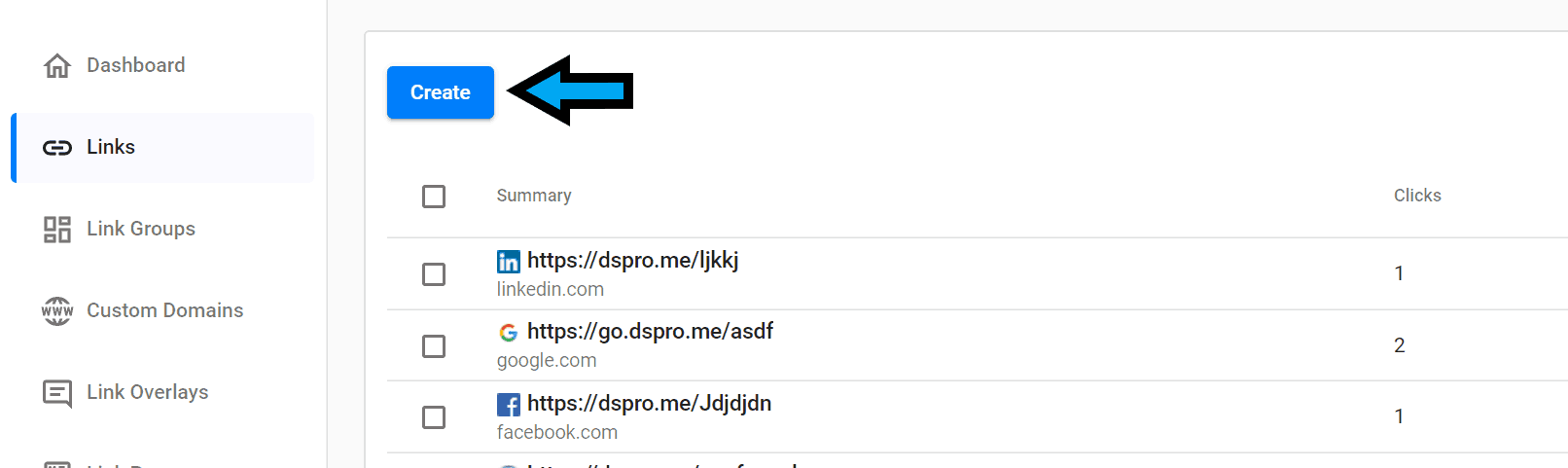
From there, you can click on “Advanced Options” and choose from several different settings.
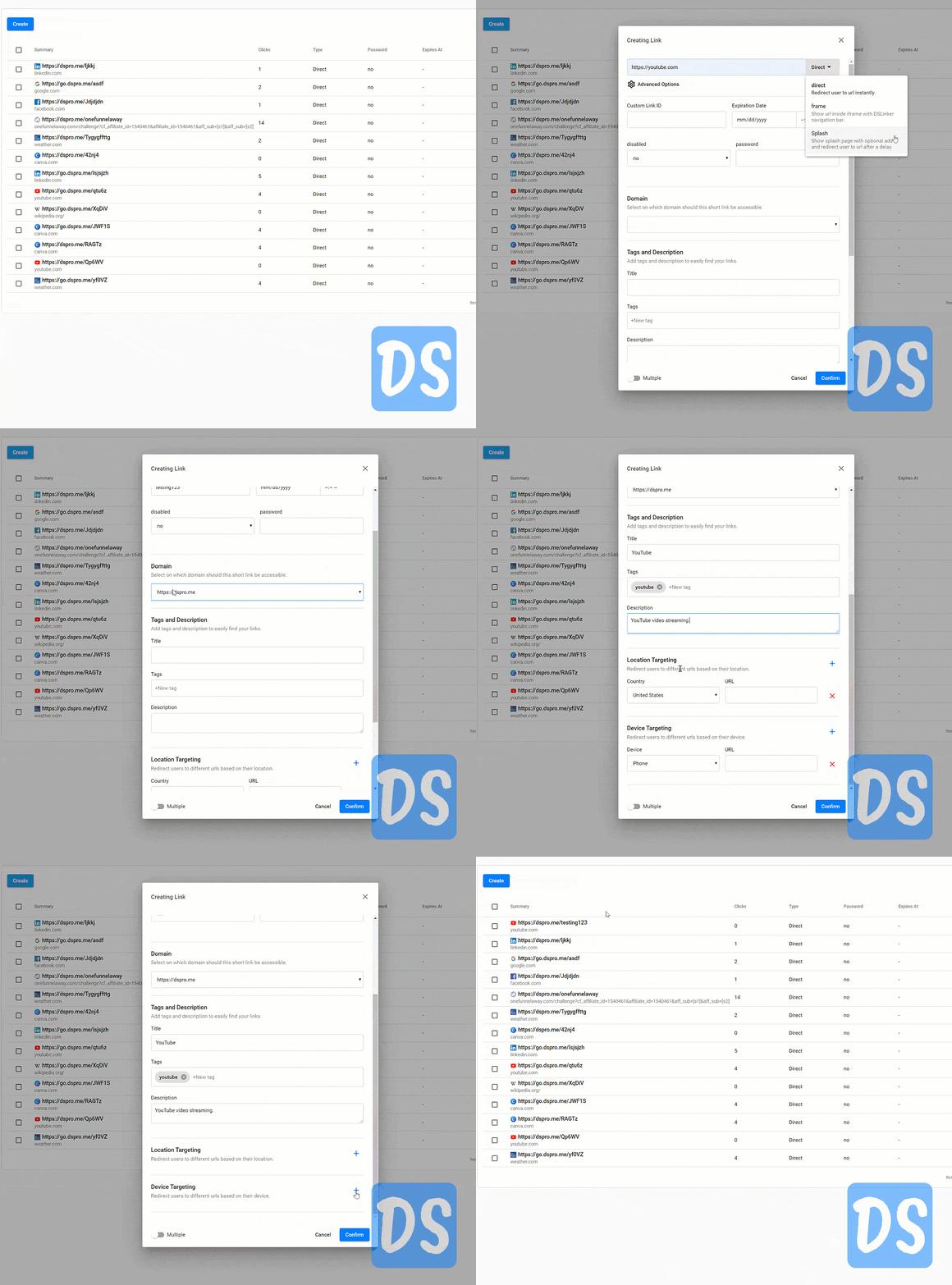
There’s 3 main types of affiliate tracking links you can create for free:
- Direct Tracking Link – Redirects user to the long URL instantly
- Frame Tracking Link – Shows the redirected page inside an iframe with the DSLinker navigation bar
- Splash Tracking Link – Shows a splash page with optional ads and then redirects the user to the URL after a delay
Step 3: Enter In A Custom Tracking Link ID For Your Affiliate Link
The custom link ID is where you can enter in a custom URL slug between 4-20 characters for your tacking link that will then redirect to your affiliate link or any other long URL that you specify.
Step 4: Set An Expiration Date And Time For The Tracking Link
You can set an expiration date and time if needed for when the tracking link will be disabled and no longer redirect. By default, this is left blank so the links you create will never expire.
Step 5: Set A Password If Desired
Next, you can also set a password for the tracking link if you want it to be secure and only accessible by certain users.
Step 6: Select The Domain For The Short Affiliate Tracking Link
After that, you can select the domain you want the short affiliate tracking link to be accessible on. By default, the domain is set to be dspro.me for the domain if left blank.
Step 7: Assign A Title, Tags, & Description For The Free Tracking Link
You can also assign a title, tags, and description to organize the free tracking links that you’ve created for you affiliate links.
Step 8: Target Specific Locations & Devices If Desired
Finally, you have the option to only target specific locations and devices to redirect to different URLs with the same tracking link.
Step 9: Confirm The Free Tracking Link For Your Affiliate Link
Once you’ve figured out the settings, click ‘Confirm’ and your tracking link will be created!
Frequently Asked Questions About Tracking Affiliate Links
How do I track a specific link in Google Analytics?
Great question! I’ve actually got a whole page dedicated to how to track your affiliate links in Google Analytics and you can also get my Google Analytics custom dashboard. 🙂
How do I manage affiliate links?
The best way to manage affiliate links is with a link tracking software or tool. I created a free link tracking software that you can use to track your affiliate links for free.
Do affiliate links expire?
The only time affiliate links expire is when a company discontinues a product and your affiliate link no longer directs to the proper page. If you’re using a link tracking software, then make sure that your tracking links don’t expire. Check out DSLinker to track your affiliate links and make sure they never expire.
More Affiliate Link Tracking Questions (Updated November 2026)
What is the easiest free way to track affiliate links?
Put each affiliate link behind a short link that counts clicks, and add UTM tags so Google Analytics can show where the traffic came from. Free plans on Rebrandly (10 links per month) and Bitly (5 links per month) are small, so check the limits first.
Do I need a paid tool to track affiliate sales?
Not always. A free tracker shows clicks, but to connect clicks to purchases you need sub IDs or a postback URL that the affiliate program supports. ClickMagick, which starts at $79 per month with a 14-day free trial, is the paid tool I use for that.
Final Thoughts On How To Track Affiliate Links
Hopefully, you grabbed your free DSLinker account and got your first free tracking link created for your affiliate link.
Let me know if you’ve got any questions in the comments below! 😉🙂